
Using Inherited Permissions in Microsoft Entra OAuth OBO Flows for Agent Identities
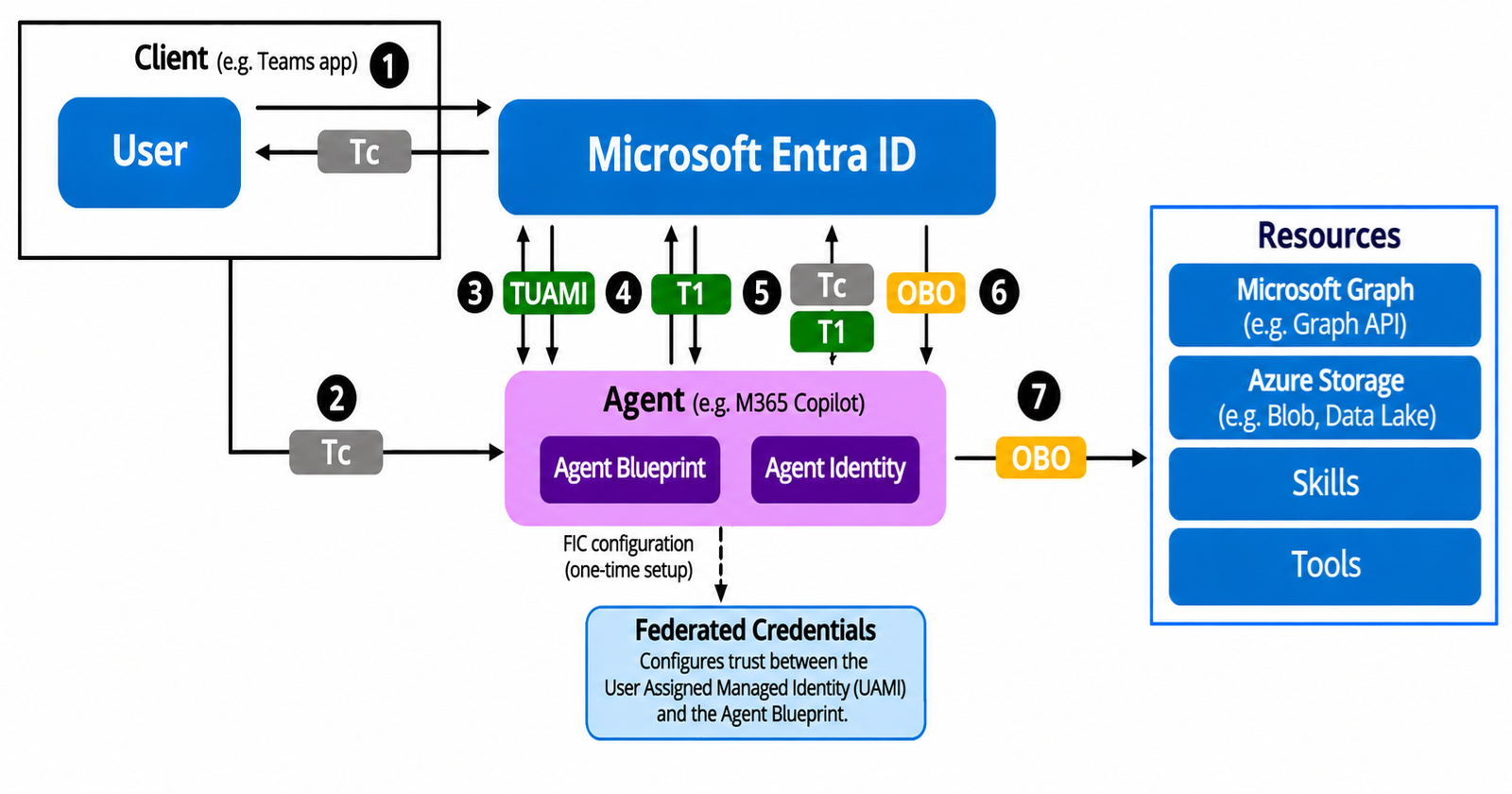
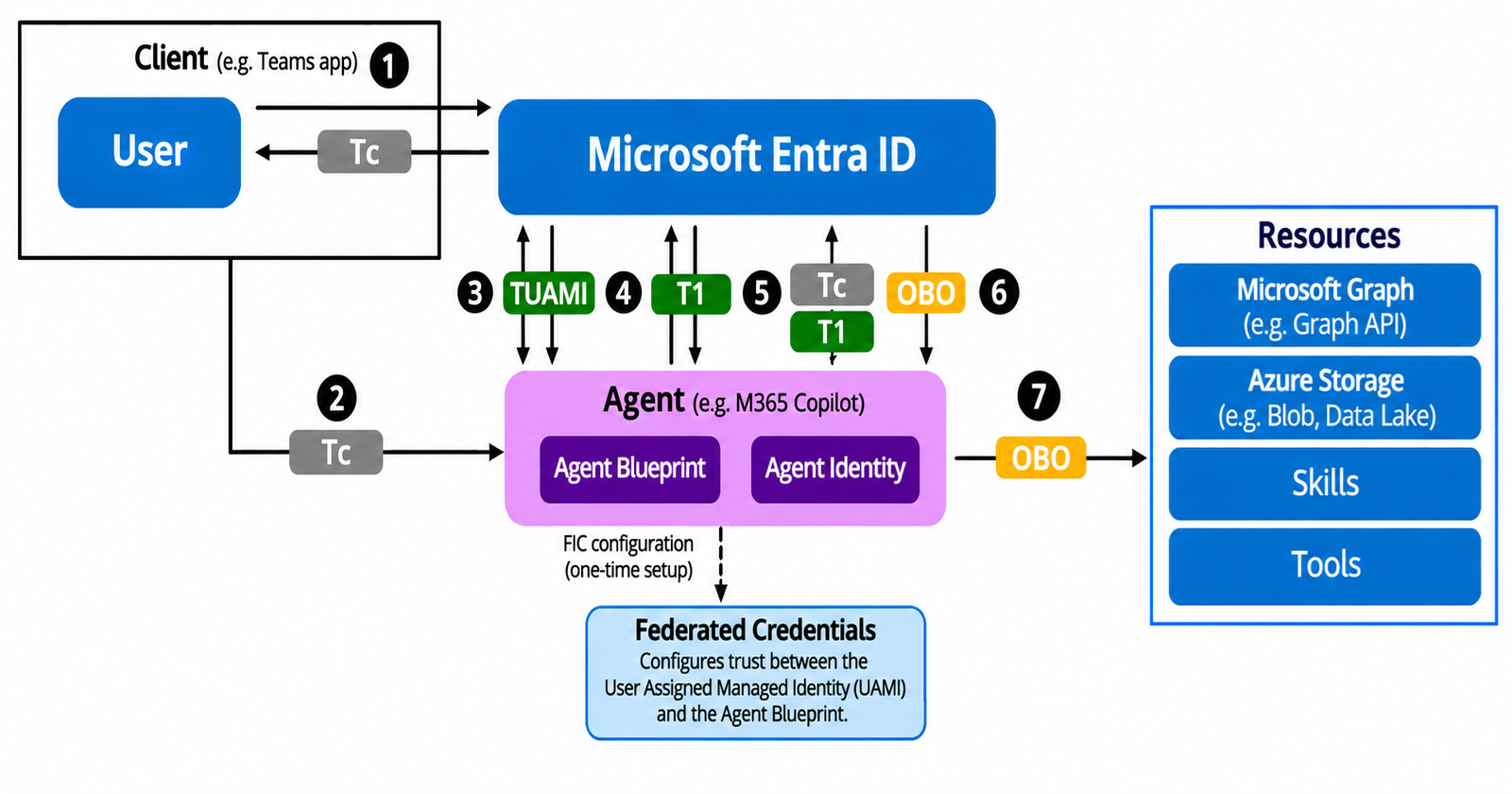
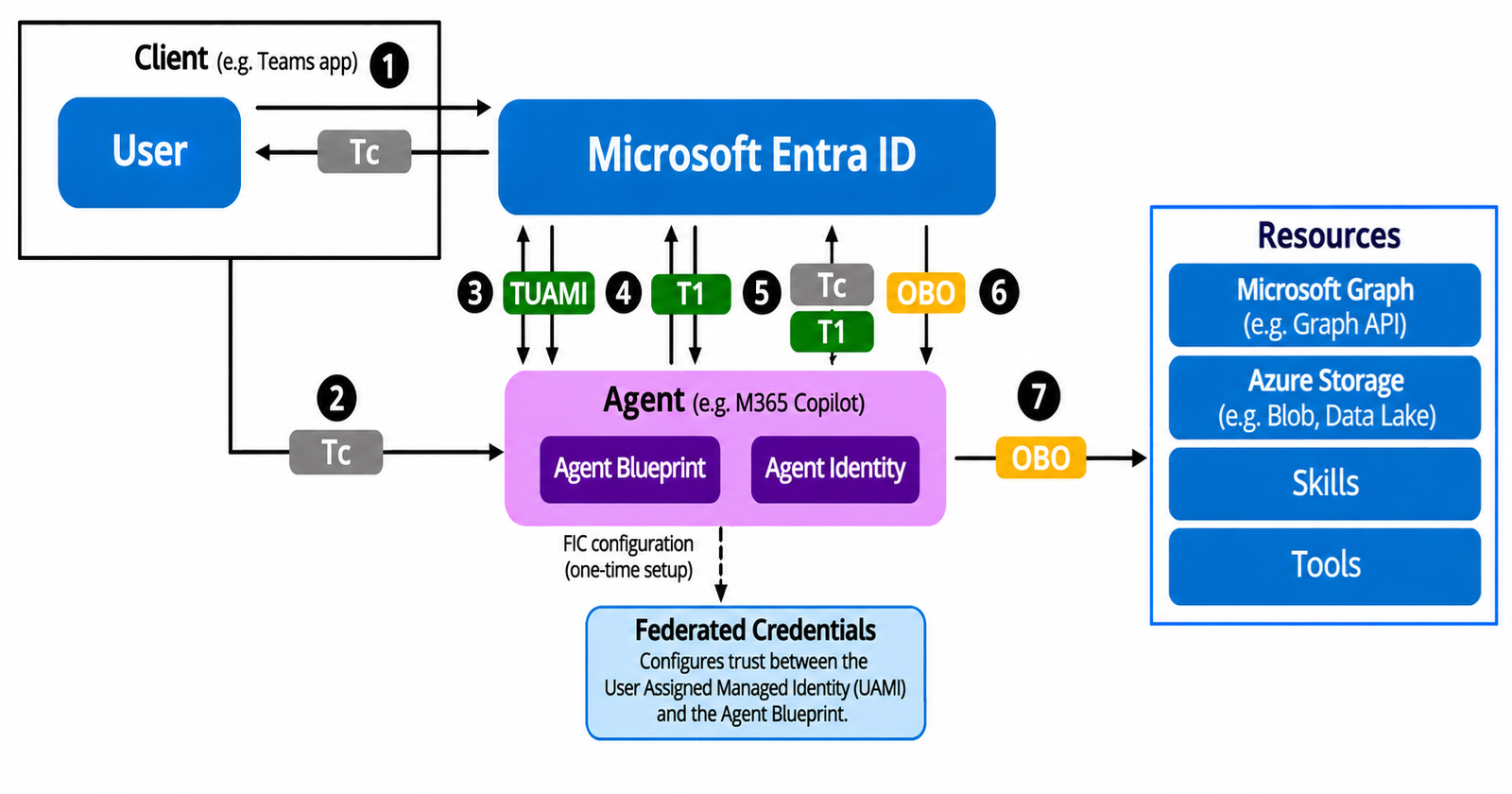
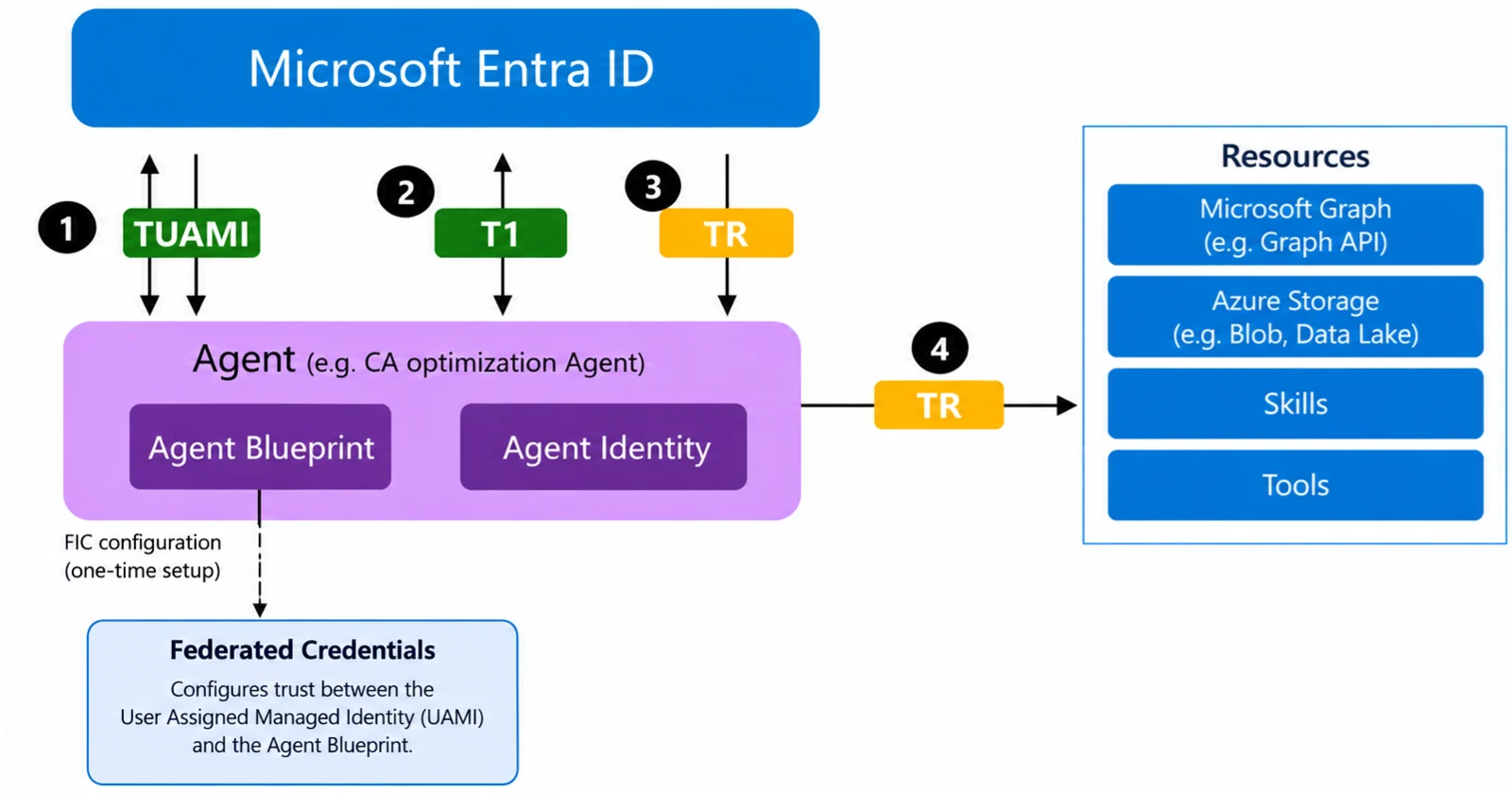
My earlier two article focused delving the details of setting up the OAUTH OBO (On Behalf Of) configurations. You can find them here and here.
In my previous article , delegated permissions for the downstream resource were granted to an individual user.
In such cases we don't need to configure any inheritable permissions . But for scenarios where there are hundreds of users granting individual permissions is not feasible. I highlighted this scenario in my previous article.
So, instead of granting downstream resource permissions separately to individual users the administrator should grant the permission to the Blueprint Principal. The child Agent Identities then inherit the eligible permissions during token issuance.
In our example following are the values of different entities :
| Principal Id for Azure storage | 59cd3e0a-2bbf-4250-865c-8173b7faed85 |
| App Id for Azure Storage | e406a681-f3d4-42a8-90b6-c2b029497af1 |
| User Principal Id | 60ff3d98-a75b-44de-8596-b25b21fb55d5 |
| Blue print principal Id | d9ef5200-ffc1-4fbc-a2e3-ca01326b1d3a |
| Blue print app Id | d7efbf70-e40b-4413-b763-b542264764bc |
| Agent app Identity Id | a1c52c58-02f0-439b-ac38-a9e3e785ff1c |
You check here on how to retrieve values of principal id for Azure storage and user principal id.
Note : Our downstream resource in this example is Azure Storage.
The user principal already has the required permissions granted on the scope for the above downstream resource.
So for the demo example in this article we will have to first delete that first.
Verify whether the scope is assigned to the user.
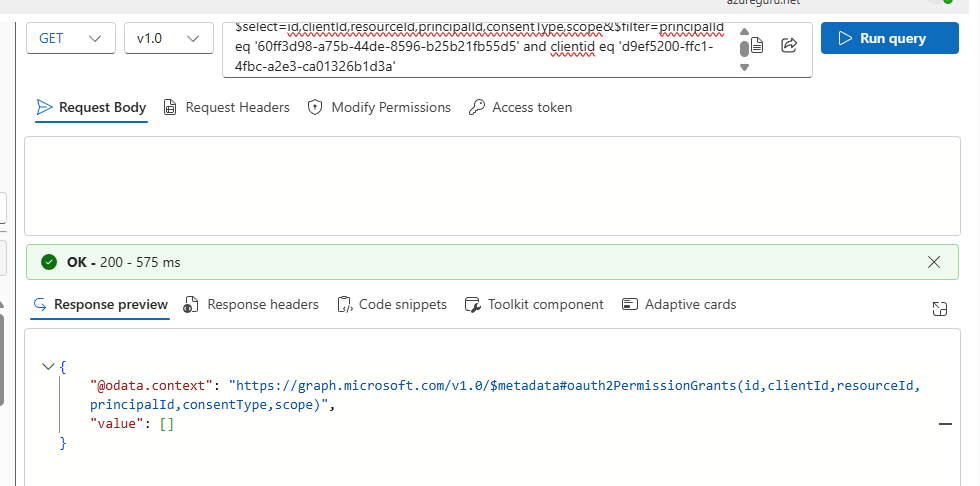
Execute the following GET request
https://graph.microsoft.com/v1.0/oauth2PermissionGrants?$select=id,clientId,resourceId,principalId,consentType,scope&$filter=principalId eq {user principal Id} and clientid eq {blue print principal Id}
In my case the results are empty as I had previously deleted the permission grant for the user on the blueprint.
Below, I am showing an example of deleting a permission grant associated with a user for a Azure storage downstream resource but for a different ClientID.
At first, retrieve grants for a resource service principal id.
Execute the following GET request where filter is on the downstream resource principal.
https://graph.microsoft.com/v1.0/oauth2PermissionGrants?$filter=resourceId eq {resource principal Id}
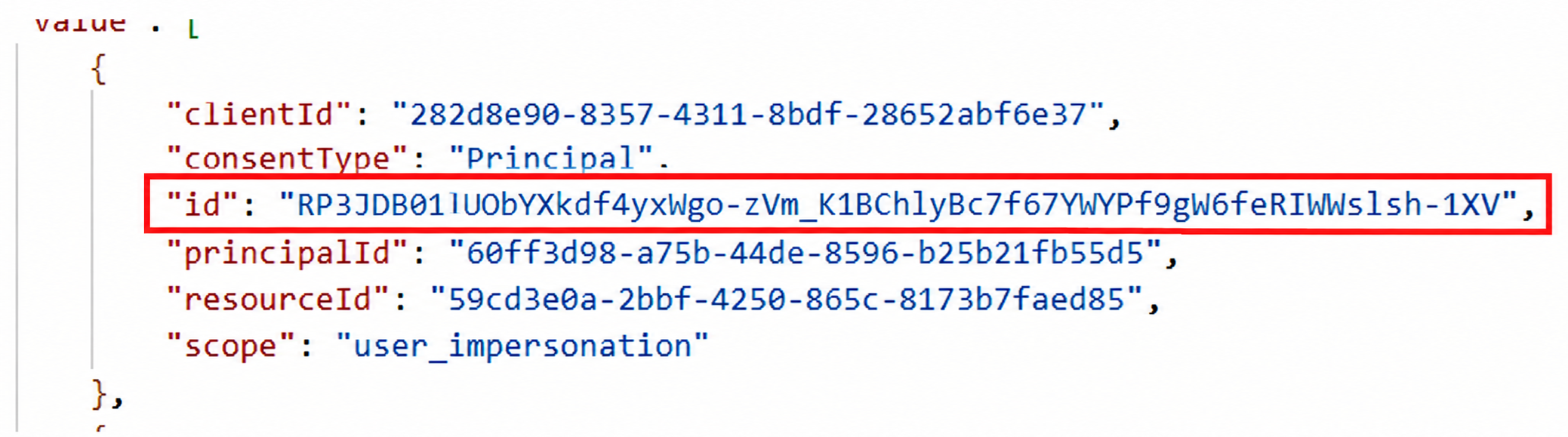
Value returned against the principal Id is the user principal Id while the id value corresponds to the Grant id .
The Grant id returned by the query above will be different across grants. You should be very specific while using these grant id's.
To delete the grant, use the following DELETE query
https://graph.microsoft.com/v1.0/oauth2PermissionGrants/{Grant id}
In my case the grant id was
'RP3JDB01lUObYXkdf4yxWgo-zVm_K1BChlyBc7f67YWYPf9gW6feRIWWslsh-1XV'
So the DELETE request will be
https://graph.microsoft.com/v1.0/oauth2PermissionGrants/'RP3JDB01lUObYXkdf4yxWgo-zVm_K1BChlyBc7f67YWYPf9gW6feRIWWslsh-1XV'
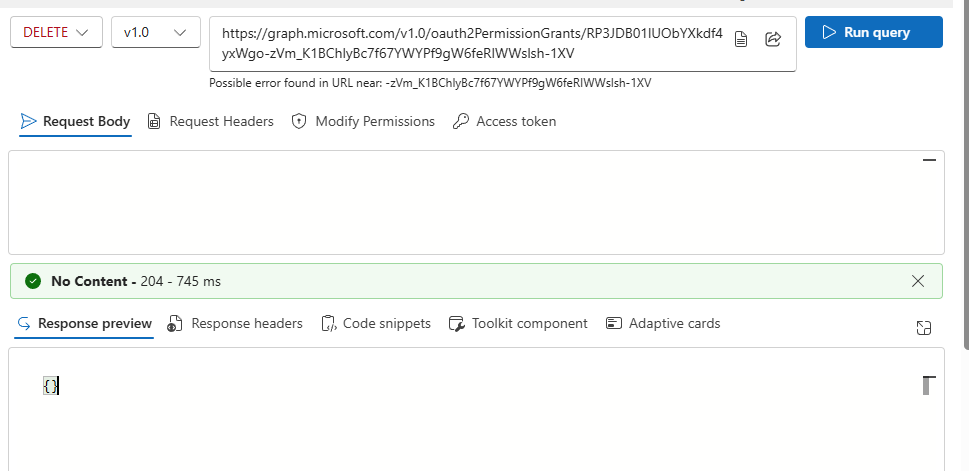
This deletes the resource permissions that were granted to the individual user principal.
Lets now execute the client app to fetch the OBO token. The token generation should fail with an error.


{"error":"invalid_grant","error_description":"AADSTS65001: The user or administrator has not consented to use the application with ID 'a1c52c58-02f0-439b-ac38-a9e3e785ff1c' named 'Agent Identity'. Send an interactive authorization request for this user and resource. Trace ID: 968e3308-4794-4aaa-9413-2cbfd8e17801 Correlation ID: 04448a5b-9ea3-43ed-b377-36c344708633 Timestamp: 2026-11-08 19:09:47Z","error_codes":[65001],"timestamp":"2026-11-08 19:09:47Z","trace_id":"968e3308-4794-4aaa-9413-2cbfd8e17801","correlation_id":"04448a5b-9ea3-43ed-b377-36c344708633","suberror":"consent_required"}
Delegated Scope for Azure Storage
Recall from part 1 of the series on the topic, where I configured the delegated scope for Azure storage for a user principal.
As we are dealing with blueprint, we have to assign the same delegated scopes for a downstream resource to an blueprint through blueprint principal id .
It means we are declaring that the Blueprint requires the user_impersonation delegated permission exposed by Azure Storage.
In simple words it means that allow agent identities under this blue print to request user_impersonation permissions on behalf of the signed in users.
Run the following POST request
https://graph.microsoft.com/v1.0/oauth2PermissionGrants
Request Body
{
  "clientId": Blueprint principal id,
  "consentType": "AllPrincipals",
  "resourceId": Azure Storage principal id/resource id,
  "scope": "user_impersonation"
}
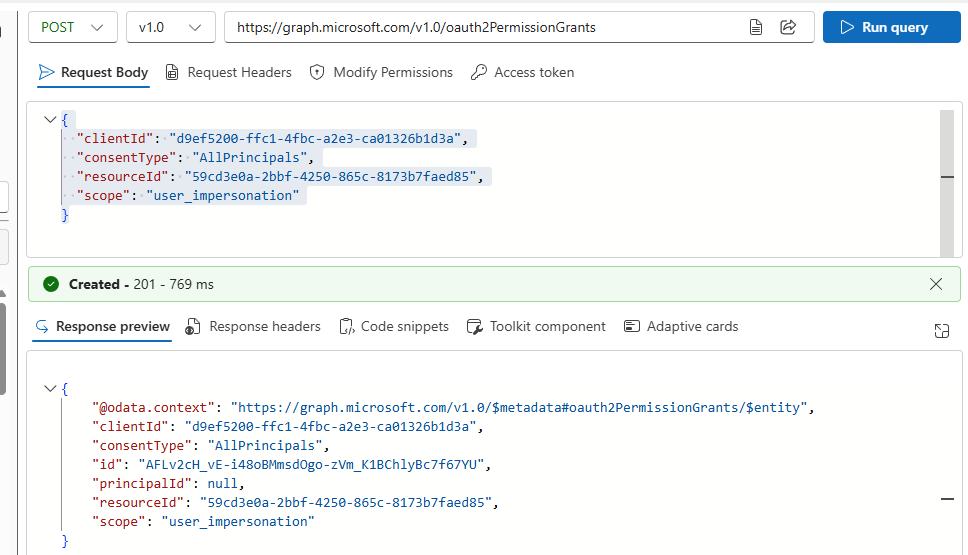
Cross verify by executing the following GET request
https://graph.microsoft.com/v1.0/applications?$filter=appId eq {Blue Print App Id}&$select=id,appId,displayName,requiredResourceAccess
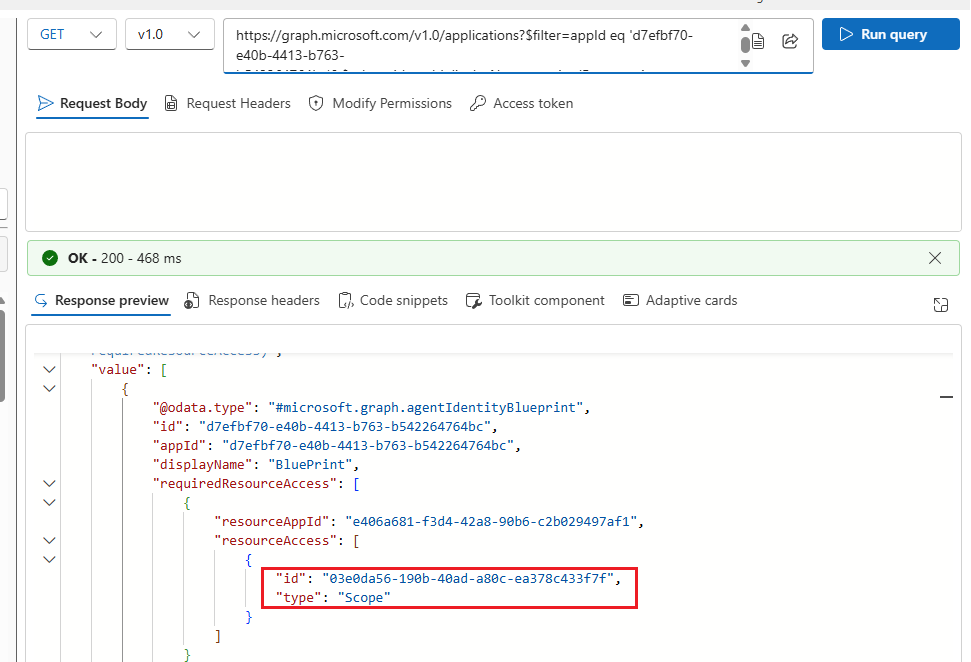
Note the id above marked in red
This id is generated when the delegated permission scope is created on the OAuthpermission registration. In our case it is generated for the Blueprint.
Next, we will have to create an requiredResourceAccess before we configure inheritablePermissions.
This operation means that blueprint requires Azure storage user_impersonation scope through id 03e0da56-190b-40ad-a80c-ea378c433f7f which corresponds to the user_impersonation scope.
https://graph.microsoft.com/v1.0/applications/d7efbf70-e40b-4413-b763-b542264764bc/microsoft.graph.agentIdentityBlueprint
{
  "requiredResourceAccess": [
    {
      "resourceAppId": {Azure storage app id},
      "resourceAccess": [
        {
          "id": "03e0da56-190b-40ad-a80c-ea378c433f7f",
          "type": "Scope"
        }
      ]
    }
  ]
}
It might be possible that you get access issues while executing the request.
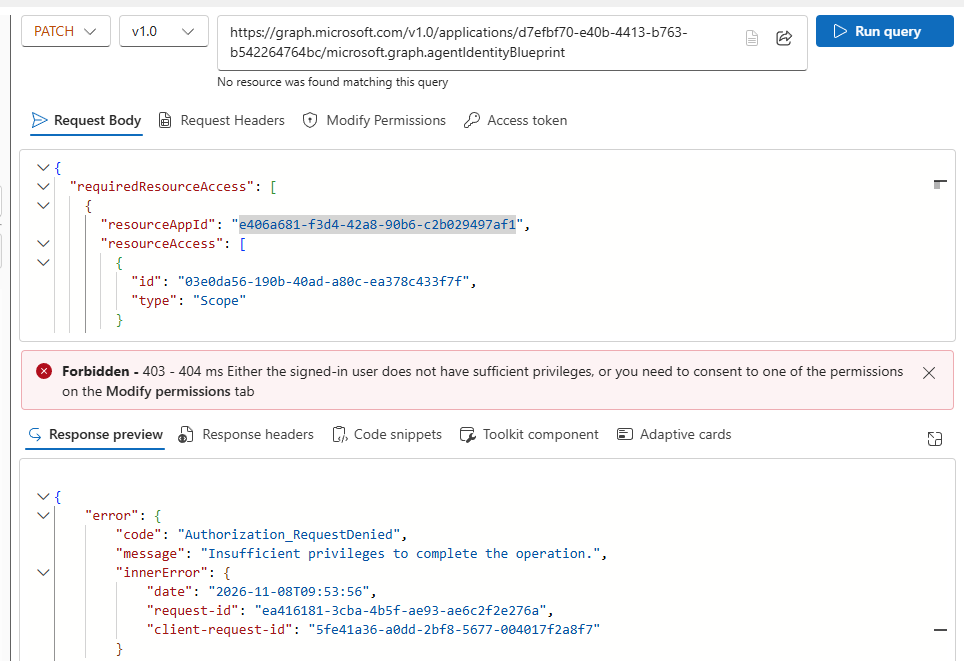
To resolve this you will have to Consent to AgenIdentityBluePrint.ReadWrite.All permissions
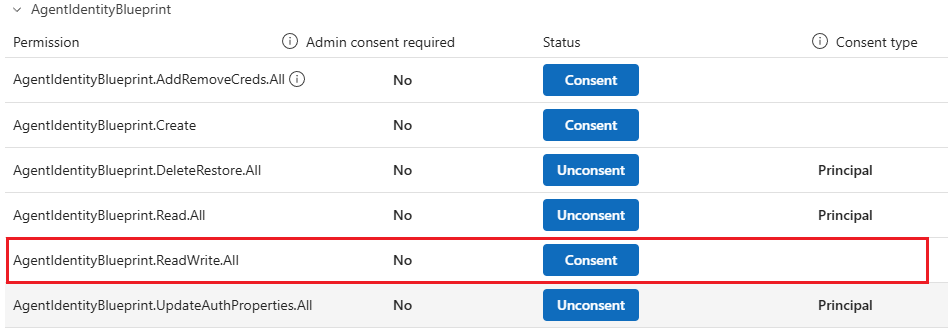
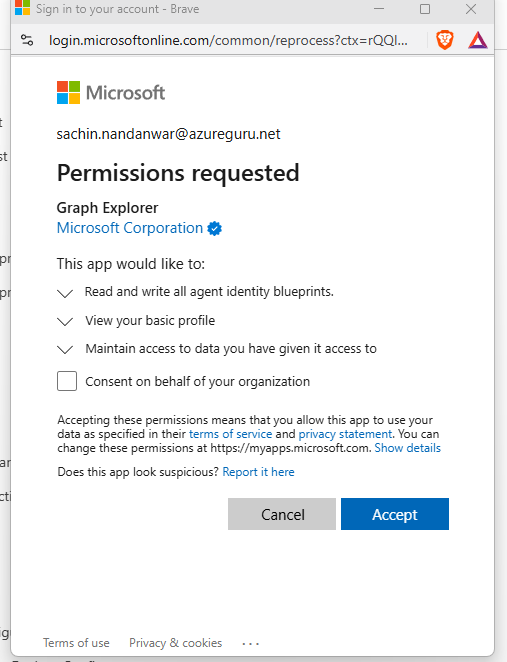
Once consented , the status changes to Unconsent.
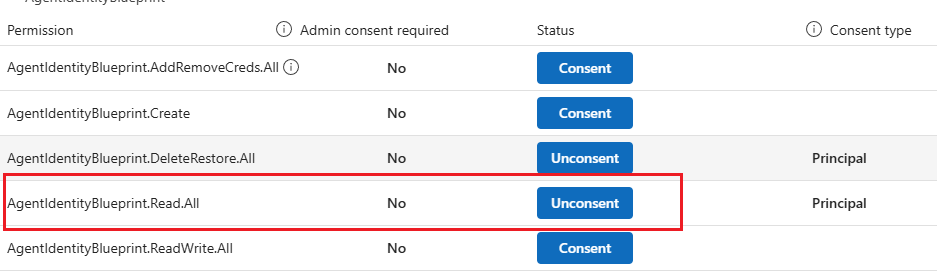
Re execute the request and now you will get a 204 response.
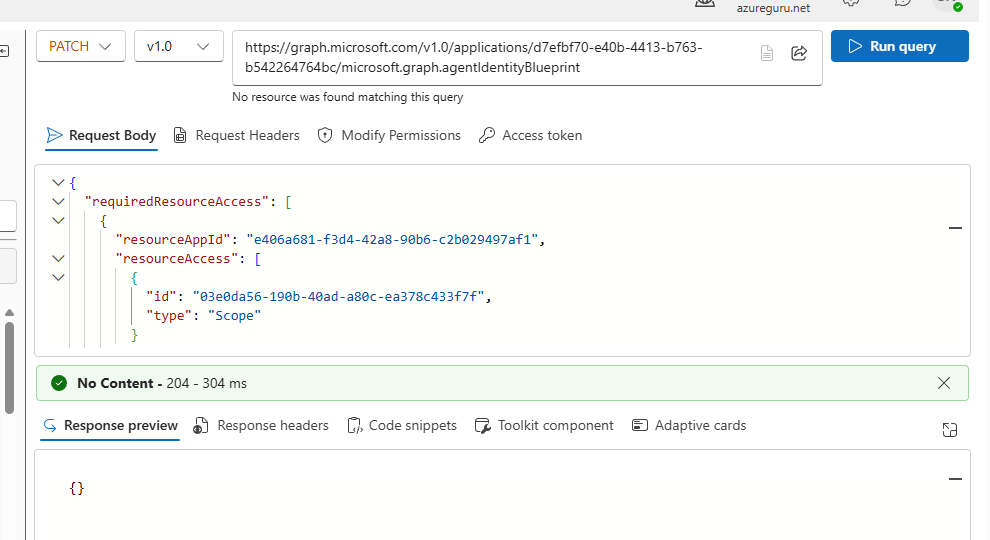
To verify the scope on blue print , execute the following GET request
https://graph.microsoft.com/v1.0/oauth2PermissionGrants?$filter=resourceId eq {resource Id} and clientId eq {Blueprint principal Id}
ClientId below corresponds to the blue print principal id and not the blue print application id
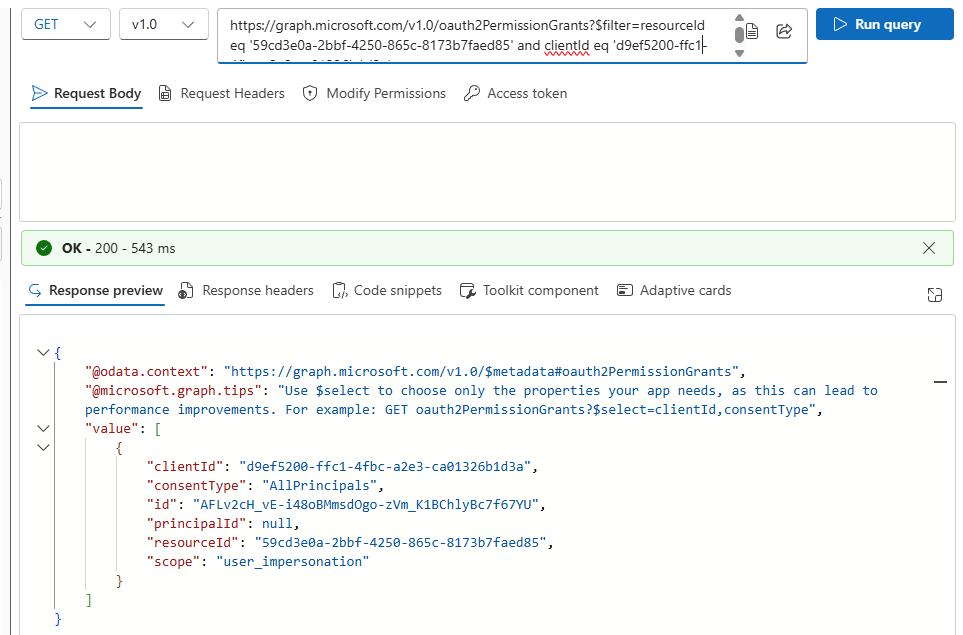
At this stage I am sure you must be very much confused of the above steps.
So here is a simple breakdown :
- requiredResourceAccess
- Declares that the Blueprint requires Azure Storage
user_impersonation.
- Declares that the Blueprint requires Azure Storage
- auth2PermissionGrants
- Records tenant-wide delegated consent for the Blueprint Principal to access Azure Storage.
- inheritablePermissions
- Defines which delegated scopes can be inherited by Agent Identities provisioned from the Blueprint.
Inheritable Permissions
Check Inheritable permissions
We have to ensure that there aren't any existing inheritable permissions so that we don't end up accidently overwriting them.
Execute the following GET request
https://graph.microsoft.com/v1.0/applications/{Blue Print App Id}/microsoft.graph.agentIdentityBlueprint/inheritablePermissions
Make sure that you are filtering on Blue Print App Id and not on Blue Print Principal Id
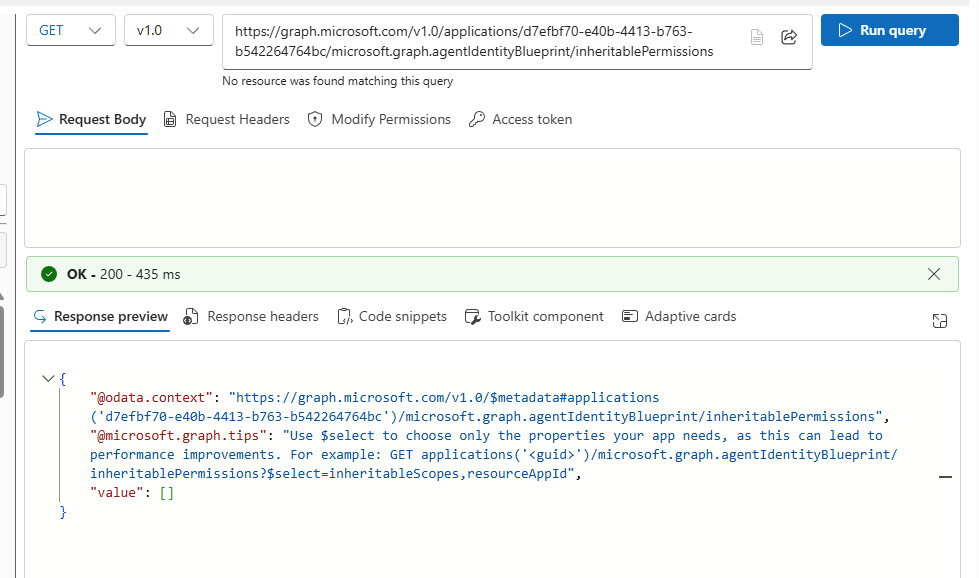
Value [] is empty . It indicates that we don't have any inheritable permissions configured for the BluePrint.
For more details on why we need inheritable permissions and how to configure and validate them you can refer to my article on the topic here.
In that example I used PowerShell scripts to configure the permissions but here I will use GraphAPI instead.
Execute the following POST request to configure inheritable permissions for the blue print
https://graph.microsoft.com/v1.0/applications/{Blue Print Id}/microsoft.graph.agentIdentityBlueprint/inheritablePermissions
{
  "resourceAppId": {Azure storage app id},
  "inheritableScopes": {
    "@odata.type": "#microsoft.graph.enumeratedScopes",
    "scopes": [
      "user_impersonation"
    ]
  },
  "inheritableRoles": {
    "@odata.type": "#microsoft.graph.noRoles",
    "kind": "none"
  }
}
It should return 201 Created response.
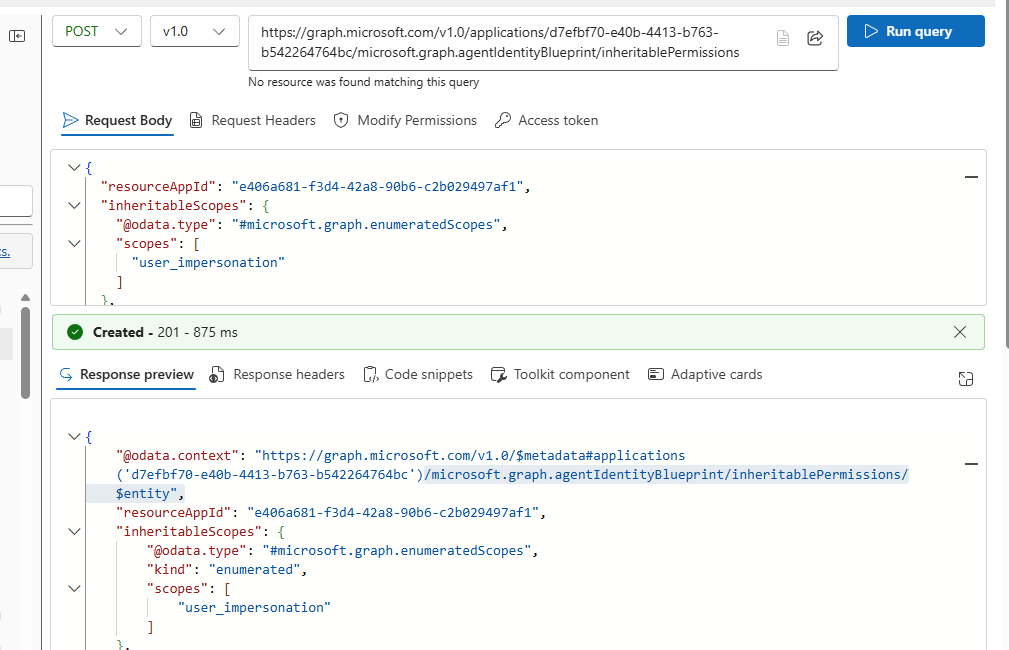
It means that we have now allowed all the underlying agent under the blue print to inherit the user_impersonation scope.
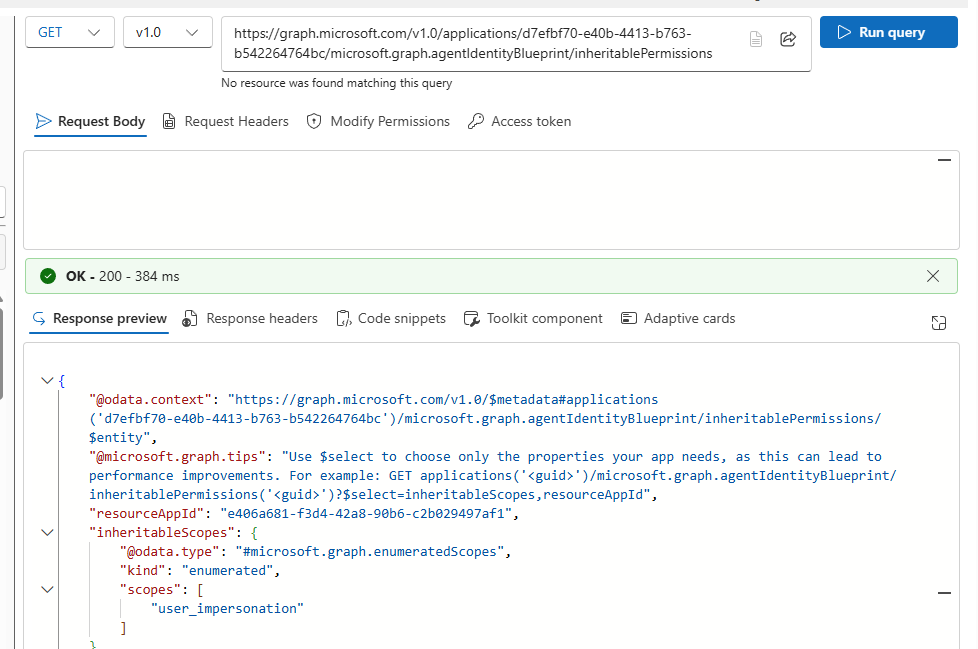
To check the inheritable permissions , re execute the same GET request that we executed earlier
https://graph.microsoft.com/v1.0/applications/{Blue print App Id}/microsoft.graph.agentIdentityBlueprint/inheritablePermissions
and this time it will return the assigned inheritable permissions in the output.
Execution
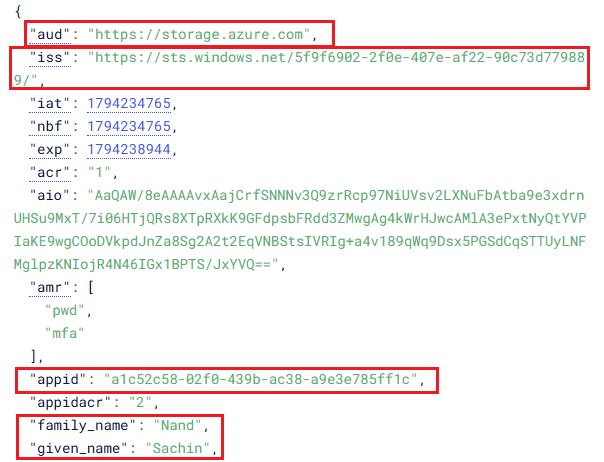
Lets inspect our token :
Final downstream resource aud value which in our example is Azure storage and the appid value which is our agent identity id which proves that the agent is acting on behalf of the user and iss value which is the issuer for my tenant. Also returned are the user details.
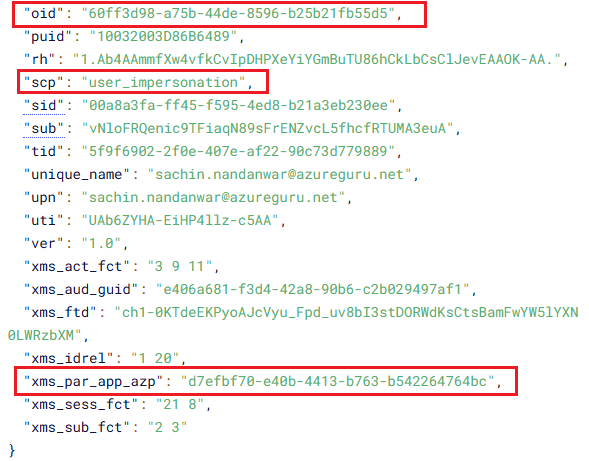
In this part we have the oid which is the user principal id and scp with value user_impersonation and xms_par_app_azp value of blue print id which confirms that this is an agent identity token
That's all !!!
Take aways
Granting delegated permissions to individual users works well in scenarios where access to downstream resources needs to be managed at an individual user level than on the granted tenant-level. This approach provides greater flexibility in small environments where there are not many agent identities.
But in a much larger environments this approach can become complicated. Hence its much better and practical to assign the resource delegate accesses scopes to the blue prints which enables the underlying agent identities to inherit the allowed scope from the blue print.
I hope this article has helped you get started with implementing scope-level access control for Microsoft Entra Agent Identities
Thanks for reading !!!
About the author
- From Synapse Analytics, Power BI, Spark, Microsoft Fabric,ASP.NET Core and recently Agentic AI on .NET I try to explore, learn and share all aspects of Microsoft Data Stack in this blog.
Comments
Join the discussionNo comments yet. Be the first to comment.